

Introduction
Zoho CRM implementation mistakes are one of the biggest reasons businesses fail to unlock the full potential of their CRM investment. As companies continue accelerating their digital transformation efforts in 2026, Zoho CRM has emerged as one of the most powerful platforms for managing customer relationships, automating workflows, and leveraging AI-driven insights.
With advanced capabilities like Zia AI, predictive analytics, workflow automation, and seamless integrations, Zoho CRM offers businesses a scalable way to improve sales performance and customer engagement.
However, implementing a CRM isn’t simply about installing software.
Many organizations approach CRM deployment as a technology project when it’s actually a business transformation initiative. The result? Poor user adoption, inaccurate reporting, dirty data, disconnected systems, and disappointing ROI.
If your CRM feels more like an administrative burden than a growth engine, you’re likely making one of the common Zoho CRM implementation mistakes discussed below.
1. Treating CRM as a Data Dump Instead of a Business Process
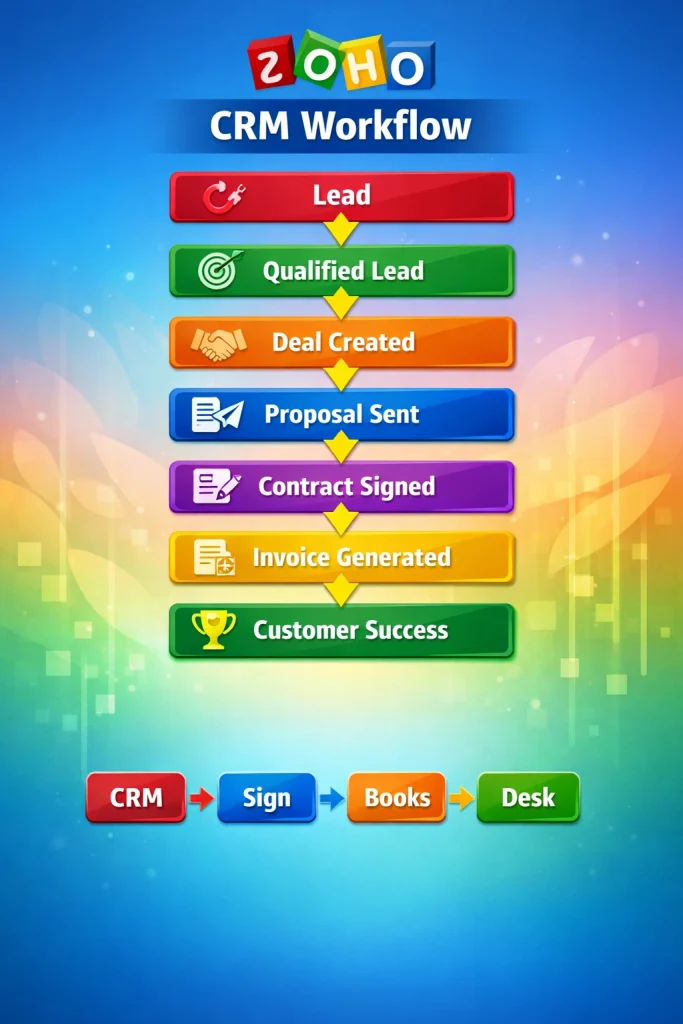
The biggest mistake businesses make is implementing Zoho CRM before understanding their internal workflows.
Many companies import thousands of contacts, leads, and historical records without defining how those records should move through the business.
The Mistake
Importing years of old leads and customer information without establishing:
- Lead qualification criteria
- Sales stages
- Handoff procedures
- Follow-up processes
- Customer onboarding workflows
This creates confusion and quickly turns the CRM into a digital filing cabinet.
The Fix
Before configuring your CRM, map your entire Lead-to-Cash process.
Ask questions like:
- What qualifies a lead?
- When should a lead become a deal?
- What triggers a proposal?
- When should finance become involved?
- What happens after a sale is completed?
Businesses that work with WebITMagic typically begin with a process discovery workshop before any CRM configuration takes place.
2. Neglecting Zoho’s AI Capabilities (Zia)
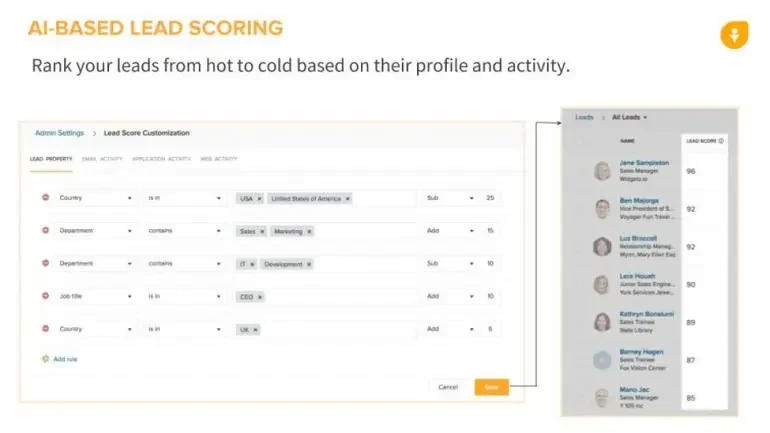
“AI-powered lead scoring and sales forecasting inside CRM”
In 2026, businesses that ignore AI capabilities are missing one of Zoho CRM’s biggest competitive advantages.
The Mistake
Sales teams continue manually prioritizing leads and guessing the best time to contact prospects.
This often leads to:
- Missed opportunities
- Slower response times
- Lower conversion rates
- Reduced sales productivity
The Fix
Configure the AI layer from the beginning.
Activate features such as:
- Predictive Lead Scoring
- Best Time to Contact
- Deal Prediction
- Anomaly Detection
- Data Enrichment
Our Zoho CRM consultants regularly help businesses configure Zia AI to align with their specific sales processes and goals.
3. Poor Data Migration and Dirty Data
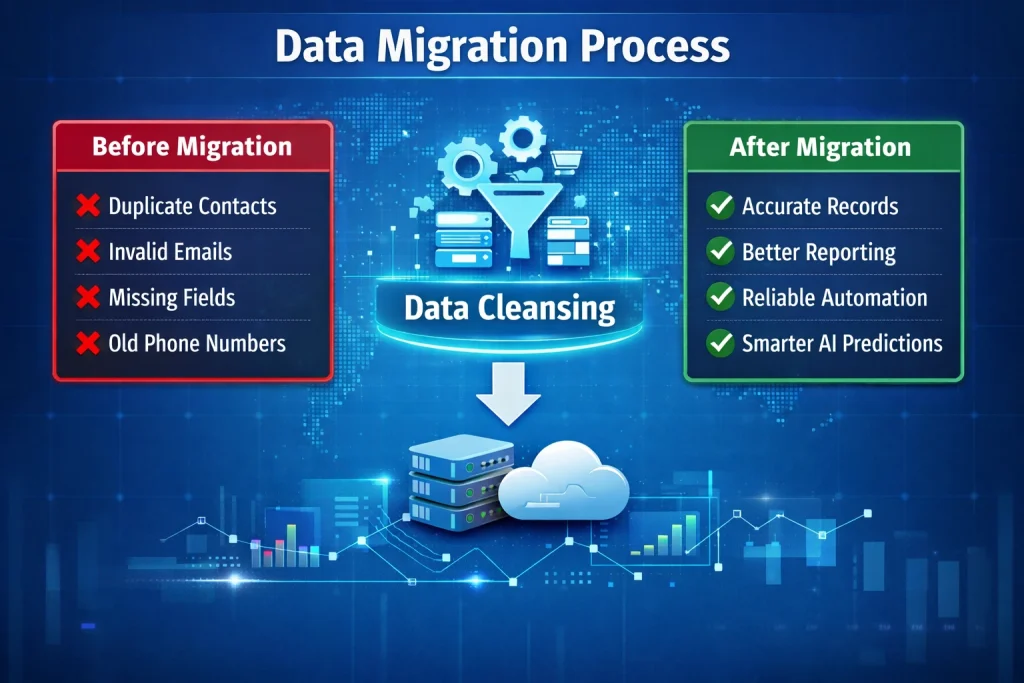
The phrase “garbage in, garbage out” perfectly describes CRM implementation.
Poor-quality data impacts every aspect of your system, from reporting and automation to AI predictions.
The Mistake
Migrating outdated spreadsheets or legacy CRM records without cleaning them first.
Common issues include:
- Duplicate contacts
- Invalid email addresses
- Missing customer details
- Inconsistent formatting
- Outdated records
The Fix
Conduct a comprehensive data audit before migration.
Migration Checklist
✔ Remove duplicates
✔ Validate email addresses
✔ Standardize phone numbers
✔ Archive inactive contacts
✔ Correct formatting inconsistencies
FREE CRM READINESS AUDIT
Not sure whether your current CRM data is migration-ready?
Book a free consultation with a Certified Zoho Partner and receive expert guidance before implementation begins.
4. Over-Complicating the Interface
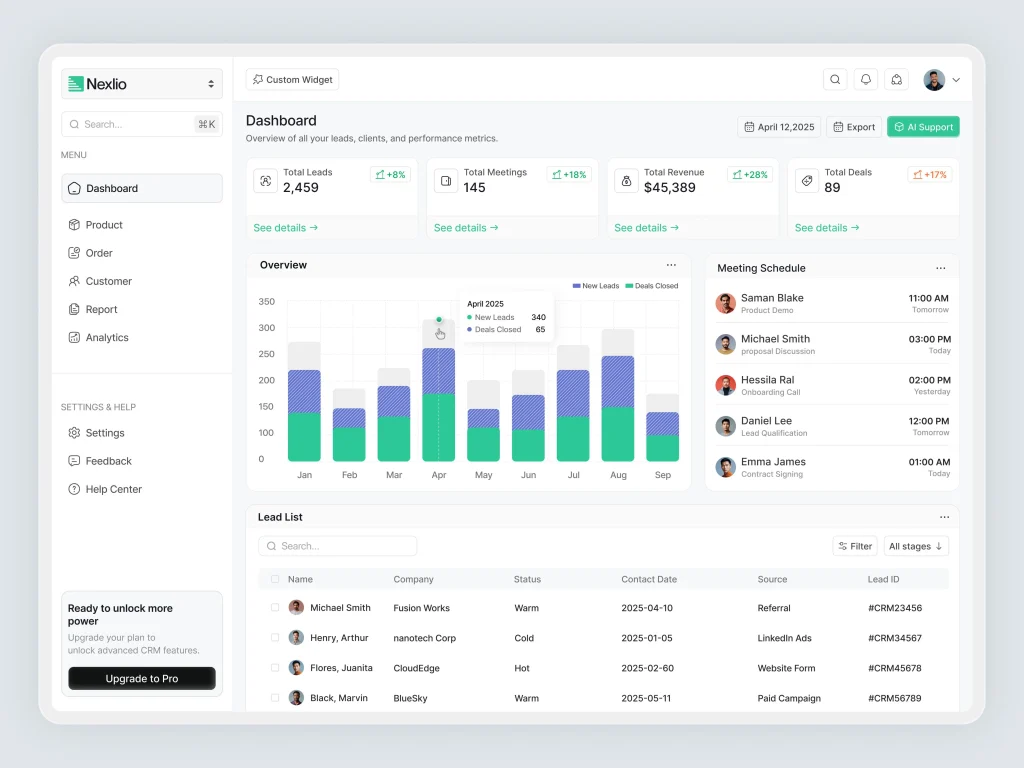
Zoho CRM is highly customizable, but that doesn’t mean every feature should be enabled.
The Mistake
Creating:
- 50+ custom fields
- Complex page layouts
- Excessive notifications
- Unnecessary modules
The result is user frustration and lower adoption rates.
The Fix
Keep the interface simple.
Use:
Canvas Builder
Create clean, role-specific dashboards.
Conditional Fields
Display information only when relevant.
For example:
Show contract details only when the deal stage reaches negotiation.
A simpler interface leads to faster adoption and more accurate data entry.
5. Ignoring the Human Side of Training

Technology adoption is ultimately a people challenge.
Even the best CRM implementation can fail if users don’t understand how it benefits them.
The Mistake
Conducting a single training session and expecting long-term success.
The Fix
Implement a phased training strategy.
Phase 1: The Why
Show employees how CRM helps them save time and close more deals.
Phase 2: Role-Based Training
Sales Teams:
- Lead management
- Pipeline tracking
- AI recommendations
Finance Teams:
- Invoicing workflows
- Zoho Books integration
Management:
- Forecasting
- Reporting
- KPI dashboards
Phase 3: Ongoing Support
Working with a Certified Zoho Partner ensures your team receives ongoing coaching and support long after launch.
6. Forgetting the Zoho Ecosystem
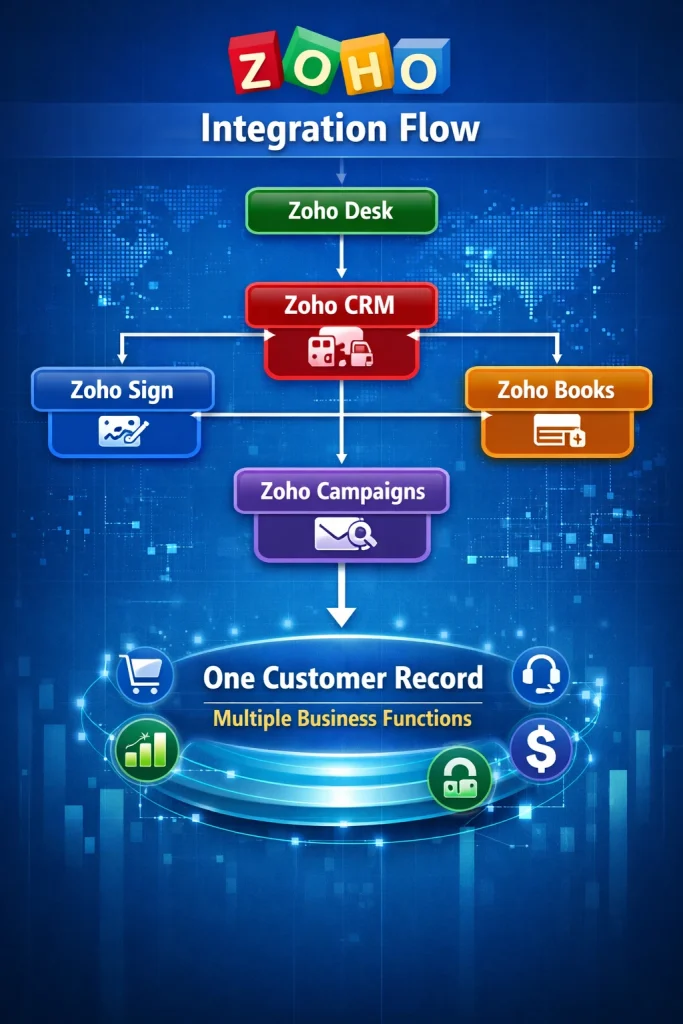
Zoho CRM becomes significantly more powerful when connected to the rest of your business systems.
The Mistake
Treating CRM as a standalone application.
This creates:
- Duplicate data entry
- Information silos
- Human error
- Delayed workflows
The Fix
Build an integrated Zoho ecosystem.
Recommended integrations include:
Zoho Books
Automated invoicing and payment tracking.
Zoho Sign
Digital contracts and approvals.
Zoho Desk
Customer support visibility.
Zoho Campaigns
Marketing automation.
At WebITMagic, we specialize in creating connected business ecosystems that eliminate manual processes and improve operational efficiency.
7. Failing to Create a Continuous Improvement Process
CRM implementation isn’t a one-time project.
It’s an ongoing optimization process.
The Mistake
Launching Zoho CRM and never revisiting configuration settings.
The Fix
Conduct quarterly CRM audits.
Review:
- Workflow automation
- Lead scoring accuracy
- User feedback
- Dashboard performance
- Sales pipeline effectiveness
The businesses achieving the highest ROI treat their CRM as a living business asset.
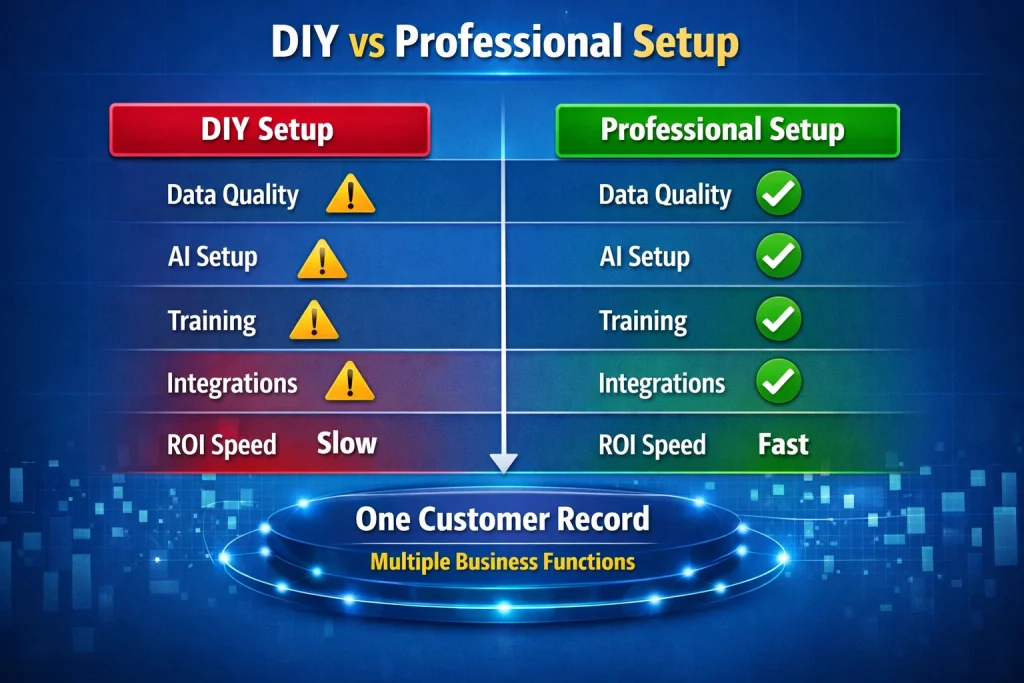
DIY vs Professional Zoho CRM Implementation
Many businesses wonder whether they should implement Zoho CRM themselves or work with experts.
Frequently Asked Questions
How long does Zoho CRM implementation take?
Most businesses can expect implementation to take between 2–8 weeks depending on complexity and integration requirements.
What is Zia AI?
Zia is Zoho’s AI assistant that provides predictive lead scoring, sales forecasting, anomaly detection, and intelligent recommendations.
Is Zoho CRM suitable for small businesses?
Yes. Zoho CRM is designed to scale from startups through to enterprise-level organizations.
Can Zoho CRM integrate with accounting software?
Absolutely. Zoho CRM integrates natively with Zoho Books and many third-party platforms.
Ready to Implement Zoho CRM the Right Way?
A successful CRM implementation isn’t about software.
It’s about creating efficient processes, empowering users, maintaining clean data, and leveraging automation effectively.
At WebITMagic, we help businesses design, deploy, and optimize CRM systems that drive measurable growth.
Our Services Include:
✔ Zoho CRM Strategy
✔ Data Migration
✔ Workflow Automation
✔ AI Optimization
✔ User Training
✔ Zoho Ecosystem Integration
Next Steps
👉 Explore our Zoho CRM Services
👉 Book a free consultation with a Certified Zoho Partner
Don’t let implementation mistakes cost your business time, money, and opportunities. Get your CRM right the first time.


0 Comments